For virtual teachers wishing to aggregate and present learning objects and materials, an e-learning authoring tool is a good choice. Below are three such tools:
No. 1: Easy Generator
The free option for this e-learning builder allows a user to create up to 10 websites. It's features include interactive multimedia capacities, extremely easy editing, and templates that promise to enhance the instructional and graphic design of your course.
No. 2: Course Sites
Powered and supported by BlackBoard, this website allows a user to create up to 5 customized websites for free. The most impressive features include the ability to publish your site as an Open Educational Resource under Creative Commons and build multimedia mash-ups from around the web.
No. 3: Smart Builder
In my research and investigation of e-learning authoring tools, Smart Builder looks like the most fun. With a free account a teacher can create an unlimited number of lessons and can also take advantage of the object library, numerous authoring tools, and customizable templates... or can even start from scratch!
Showing posts with label create. Show all posts
Sunday, January 18, 2015
Create 4.1.2 Principles of Building Portable Learning Objects
Continuing with the Civil War topic from my previous posts, I created two Portable Learning Objects.
No. 1
I built the module below using blendspace, one of the tools I showcased in my previous post- Define and Explain Learning Objects. This particular learning object would be utilized within a larger unit study of the Civil War and focuses specifically on comparing the Northern and Southern military strategies.
No. 2
My second learning object was created using Quizlet. I love the simplicity, the quality, and the interactivity of Quizlet. I would encourage students to use the flashcards and games to help them study independently, but would also incorporate them into other learning objects like I did in the blendspace module above.
Create 4.1.1 Define & Explain Learning Object Authoring Tools
If the LMS is the skeleton of a digital course, then Learning Objects are the meat. Serving multiple purposes as both stand alone activities or as part of a curricular unit, learning objects are what virtual teachers create in order to make content engaging and relevant for their students. Below are five tools that educators can use to build interactive learning objects.
| [Image Source] |
Free Tools
1. Quizlet is a tried-and-true website that allows users to create digital flashcards. Flashcard sets can also be studied using different modes and games. And the best part... all the different study modes can be embedded onto your website!
2. Blendspace is a great option for building learning objects quickly and easily. I am particularly drawn to the platform's functionality as a place to curate web resources, to assess student learning, and to monitor student progress in real time. As a free site, this is a great addition to a virtual teacher's tech toolbox.
3. TEDEd is a super easy tool for building super engaging learning objects! Whether you want to use a lesson that has already been created or if you want to customize your own lesson, students will appreciate the interesting content and interactive platform.
Fee/Subscription Based Tools
4. Smore is a website that I've used a lot in my own classroom and I've even showcased it as part of this blog! I love smore as a way to build learning objects because you can incorporate text, images, video, forms, and links to other websites. The finished product is a well-organized and beautiful flyer that translates nicely across all devices and computers. The downside- with one email address you can only make six flyers for free. However, with an annual fee (that is extremely discounted for educators, I might add) you can create unlimited flyers with awesome customized features!
5. Online Quiz Creator is an online quiz/trivia generator that promises to make learning content fun, engaging, and meaningfully addictive. With trivia apps and games so popular among our teenagers today, I really like how this online quiz platform allows teachers to create professional looking quizzes and how its interface is built like a trivia challenge. With the free "Tiny Owl" account, teachers can create unlimited quizzes (15 questions per quiz) but with an upgraded "Teacher Owl" account, the features seem to good to pass up- unlimited quizzes, tests, and assessments with analytics!
Saturday, January 17, 2015
Create 3.1.3 Locating Resources
In my previous post on Creating a Content Map I chose the Civil War as my topic. Below are three examples of resources I located that could be incorporated into a study of the Civil War in an online classroom. I've also provided examples of attribution in order to adhere to proper Fair Use and the TEACH Act guidelines.
Text Sample:
Only one day after their victory at Gettysburg, Union forces captured Vicksburg, the last Confederate stronghold on the Mississippi River. Lincoln and Union commanders began to make plans for finishing the war.
The Union strategy to win the war did not emerge all at once. By 1863, however, the Northern military plan consisted of five major goals:
"Northern Plans to End the War" by ushistory.org by the U.S. History Online Textbook. Available under a Creative Commons Attribution 4.0 International.
Multimedia Sample:
"MOOC | Civil War Strategies | The Civil War and Reconstruction, 1861-1865 | 2.1.5" by
ColumbiaLearn is licensed under Creative Commons.
Image Sample:
Text Sample:
Only one day after their victory at Gettysburg, Union forces captured Vicksburg, the last Confederate stronghold on the Mississippi River. Lincoln and Union commanders began to make plans for finishing the war.
The Union strategy to win the war did not emerge all at once. By 1863, however, the Northern military plan consisted of five major goals:
- Fully blockade all Southern coasts. This strategy, known as the Anaconda Plan, would eliminate the possibility of Confederate help from abroad.
- Control the Mississippi River. The river was the South's major inland waterway. Also, Northern control of the rivers would separate Texas, Louisiana, and Arkansas from the other Confederate states.
- Capture Richmond. Without its capital, the Confederacy's command lines would be disrupted.
- Shatter Southern civilian morale by capturing and destroying Atlanta, Savannah, and the heart of Southern secession, South Carolina.
- Use the numerical advantage of Northern troops to engage the enemy everywhere to break the spirits of the Confederate Army.
"Northern Plans to End the War" by ushistory.org by the U.S. History Online Textbook. Available under a Creative Commons Attribution 4.0 International.
Multimedia Sample:
"MOOC | Civil War Strategies | The Civil War and Reconstruction, 1861-1865 | 2.1.5" by
ColumbiaLearn is licensed under Creative Commons.
Create 3.1.2 Fair Use & the TEACH Act
![]() |
| [Image Source] |
Copyright laws are not always "black and white," especially when Fair Use and the TEACH Act are concerned. Fair Use was originally designed to give structured leniency to educators who utilize copyrighted materials for classroom instruction. With the advent of virtual schools and flipped classrooms, the TEACH Act further expanded Fair Use to provide opportunities to use materials for educational purposes.
As a virtual teacher, it is important to understand not only the laws of copyright and creative commons, but also the protections provided by Fair Use and the TEACH Act. A major role of the virtual teacher is to locate and deliver quality content to students in a creative and meaningful way. In order to carry out this role, it is essential that the virtual teacher uses the most up-to-date resources available, even those under copyright. By understanding both the law and the protection, a virtual teacher can more confidently and appropriately deliver quality content to her students.
Create 3.1.1 Open Educational Resources & Creative Commons
Open Educational Resources, simply put, are the digital materials that teachers can use, reuse, and modify for classroom use. These Open Educational Resources are organized under four major Creative Commons licenses. To make it easy to remember the differences, I created the graphic below.
![]() |
| I design with canva! |
Thursday, January 15, 2015
Create 2.1.3 Using Web 2.0 Tools to Differentiate Student Assessment
In my last post on Using Web 2.0 Tools to Differentiate Teacher Instruction I showcased a variety of strategies and web resources to enrich and extend student learning. One of those strategies focused on creating infographics as a way for students to show depth of knowledge. One of my favorite Web 2.0 Tools for creating infographics in the classroom is Piktochart, a free [and super easy] website that promises users to help make their information beautiful.
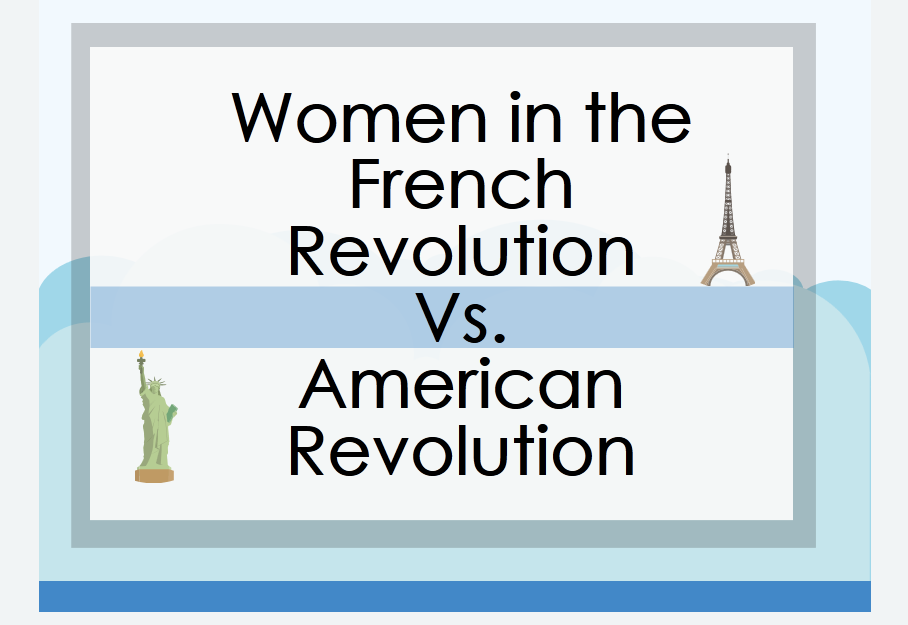
I recently designed a project for my AP European History students, many of whom are also taking AP US History. To connect the two courses, students were required to visually represent the similarities and differences between the French and American Revolutions. To differentiate the project, students were given the opportunity to choose the specific topical connection they wished to research and create an artifact for.
To allow for additional student choice I provided a few possible infographic websites for students to explore and Piktochart was hands down the most popular. After finishing their projects, students then participated in an online symposium in which they shared their own infographics and reflected on their peer's artifacts.
Below are links to student samples from the #APEHconnect project. Each student sample is used with permission. Also, check out the links to the project rubric and symposium instructions at the bottom of this post.
Links to Project Rubric, & Symposium:
#APEHconnect Project Rubric
#APEHconnect Symposium Instructions
I recently designed a project for my AP European History students, many of whom are also taking AP US History. To connect the two courses, students were required to visually represent the similarities and differences between the French and American Revolutions. To differentiate the project, students were given the opportunity to choose the specific topical connection they wished to research and create an artifact for.
To allow for additional student choice I provided a few possible infographic websites for students to explore and Piktochart was hands down the most popular. After finishing their projects, students then participated in an online symposium in which they shared their own infographics and reflected on their peer's artifacts.
Below are links to student samples from the #APEHconnect project. Each student sample is used with permission. Also, check out the links to the project rubric and symposium instructions at the bottom of this post.
| https://magic.piktochart.com/output/3358681-apehconnect-war-tech-amfr-rev# |
| https://magic.piktochart.com/output/3385818-women-in-french-revolution-vs-wo# |
| https://magic.piktochart.com/output/3358786-revolutions# |
Links to Project Rubric, & Symposium:
#APEHconnect Project Rubric
#APEHconnect Symposium Instructions
Create 2.1.2 Using Web 2.0 Tools to Differentiate Teacher Instruction
Over the summer I presented at the NCSS Secondary Ed Summer Institute on strategies to extend and enrich the needs of all learners. Aptly titled- Bright But Bored- my presentation focused on differentiation strategies and web tools that teachers could use to bring their classrooms the 21st century.
Included in my presentation were Web 2.0 Tools like Today's Meet, Kahoot, and the infographic creation website easel.ly. My presentation was created using prezi and I implemented many of my student's work samples. The final product was itself a differentiated instructional tool shared with teachers to help them differentiate their own instruction.
Creat 2.1.1 Web Tools
Last summer I presented at our school system's Ed Tech Conference with my good friend and colleague, @MrsAshRick. Our presentation was titled- Tech Toolbox 2.0- and our intent was to showcase some of our favorite web tools for teachers to use in their classrooms. We organized our tools into three categories: Classroom Management Tools, Collaboration Tools, and Creativity Tools.
Each of the tools highlighted in the presentation are free and are meant to enhance classroom instruction while making classroom procedures and the implementation of technology more efficient. Although the presentation was directed at an audience of brick-and-mortar teachers, there are numerous tools that a virtual teacher could easily utilize, too.
Create 1.1.3 Appearance
Beauty may be in the eye if the beholder, however sound design for instructional sites must adhere to two basic rules: image rich and well organized. As someone who has a personal passion for graphic design, this appearance quest was right up my alley. Below I've outlined 10 sites, five of which have excellent aesthetics and design and five of which do not.
*Note: All images are screenshots from their respective sites.
The Good
1. Khan Academy
Streamlined, easy navigation, and awesome organization... Khan Academy is a site with excellent design! I also love that they are a non-profit and promise in their mission statement to remain an ad-free and subscription-free site.
2. UShistory.org
It's beautifully designed and it's resources are all about US History...It just doesn't get any better than that! Although the homepage is a little busy, the graphics and easy navigation make up for it. At first glance I am intrigued by the graphics and want to further explore their resources. In short, this site immediately drew me in.
3. Digital History
Awesome organization and super easy navigation make this one of my go-to sites for US History! Organized by eras, topics, resources, and references- the site also has an interactive, visual timeline on the homepage for navigation. Pretty cool!
4. TEDEd
I am a huge fan of TED Talks and TEDEd is just as amazing! Their videos are engaging and their website is impressive. The overall design is appealing and draws the visitor into its vast repertoire of video and lesson resources.
5. Free Rice
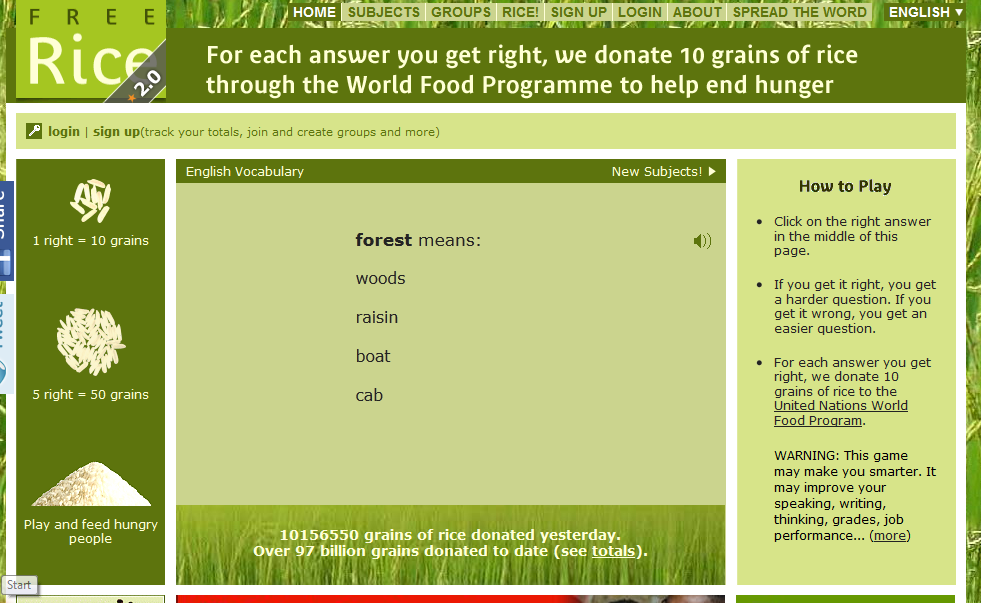
I love the design and purpose of this site! Not only is it geared to help educate people around the world, but for every vocabulary word you get right the company will donate 10 grains of rice to the UN's World Food Program. Interactive and engaging, this site gets it right!
The Not-so-Good
1. Shmoop
While I love shmoop for their amazing study resources, I do not like their platform. It is too busy, overwhelming, and saturated with outside ads.
2. Hippo Campus
HippoCampus is another site that I love for their resources and easy navigation but the videos are not very exciting. Also, the color and design is too dull and boring for students.
3. Discovery Education Homework Helper
At first glance, this website has a lot going on. I felt overwhelmed and after digging deeper into the resources was underwhelmed with what they offered students for social studies help.

4. The History Place
This website may have great resources but the colors are too bright and the design is very unprofessional compared to other sites I've seen.
5. Homework Spot
Similar to The History Place, the colors and design are too bright and the site too undeveloped. But the site does offer a ton of resources and links to higher quality websites.
*Note: All images are screenshots from their respective sites.
The Good
Streamlined, easy navigation, and awesome organization... Khan Academy is a site with excellent design! I also love that they are a non-profit and promise in their mission statement to remain an ad-free and subscription-free site.
2. UShistory.org
It's beautifully designed and it's resources are all about US History...It just doesn't get any better than that! Although the homepage is a little busy, the graphics and easy navigation make up for it. At first glance I am intrigued by the graphics and want to further explore their resources. In short, this site immediately drew me in.
Awesome organization and super easy navigation make this one of my go-to sites for US History! Organized by eras, topics, resources, and references- the site also has an interactive, visual timeline on the homepage for navigation. Pretty cool!
I am a huge fan of TED Talks and TEDEd is just as amazing! Their videos are engaging and their website is impressive. The overall design is appealing and draws the visitor into its vast repertoire of video and lesson resources.
I love the design and purpose of this site! Not only is it geared to help educate people around the world, but for every vocabulary word you get right the company will donate 10 grains of rice to the UN's World Food Program. Interactive and engaging, this site gets it right!
The Not-so-Good
While I love shmoop for their amazing study resources, I do not like their platform. It is too busy, overwhelming, and saturated with outside ads.
HippoCampus is another site that I love for their resources and easy navigation but the videos are not very exciting. Also, the color and design is too dull and boring for students.
At first glance, this website has a lot going on. I felt overwhelmed and after digging deeper into the resources was underwhelmed with what they offered students for social studies help.
4. The History Place
This website may have great resources but the colors are too bright and the design is very unprofessional compared to other sites I've seen.
5. Homework Spot
Similar to The History Place, the colors and design are too bright and the site too undeveloped. But the site does offer a ton of resources and links to higher quality websites.

Wednesday, January 14, 2015
Create 1.1.2 Creating a Content map
Content maps are a great way to organize important information and images relating to a topic of study. I especially like content maps because they are a visual representation of the planning process... the perfect combination for my detail-oriented, graphic design-loving personality!
Below is the content map I created for the current unit we are studying in APUSH- The Civil War. As with any war, I break down my lessons and activities based on the causes, course, and consequences. This content map in particular illustrates the most important topics discussed in my own class as part of our Civil War unit.
Tuesday, January 13, 2015
Create 1.1.1 Time Management
![]() |
| [Image Source] |
If time is of the essence, then the management of that time is essential. As someone with a sound work ethic and a Type A personality, time management and productivity is important to me. While I have adopted a number of time management practices over the years, I am always looking for the next great tool to help me be as productive as possible.
Below are 5 Tools for Time Management, all of which are tried & true and have my personal stamp of approval.
1. Old Fashion Pen & Paper To-do List
Although I know there are a large number of apps and websites that are geared toward creating amazing lists, I rely on my hand-written to-do list. There is nothing more gratifying than marking through a task upon its completion and keeping track of my priorities. #personal #professional
2. Online Stopwatch
I am very detail-oriented and often times find myself lost in a project for hours. In order to compensate this habit, especially when I need to manage my time and get things done quickly, I use a timer. My go-to timer is the built-in clock on my phone; however, I also use online stopwatch in my classroom to help instill time management in my students. #professional
3. Hootsuite
I like using Hootsuite to manage my personal and professional twitter accounts, as well as the chats that I like to follow/participate in. I've been using Hootsuite for about a year now and have found that if I limit my time on twitter to about 15 minutes, I can schedule tweets and continue twitter conversations without wasting unnecessary amounts of time that could be used doing something more productive. #personal #professional
4. Google Forms
Gathering information is a time consuming practice. In the classroom, Google Forms is a time saver for sharing and collecting information from students and parents. Whether a simple parent survey or a complex student assignment, Google Forms are easy to build and all the information is compiled into a spreadsheet in your Google Drive. #professional
5. Spotify
I enjoy playing music in the background to fit my mood and to help me complete my tasks... upbeat playlists for when I need an extra pep in my step or instrumental scores for when I need to slow things down. Although spotify is not a 'time management' app, it's organized playlists and easy search features make it my go-to mobile jukebox. Oh, and its free! #personal #professional
Subscribe to:
Posts (Atom)